
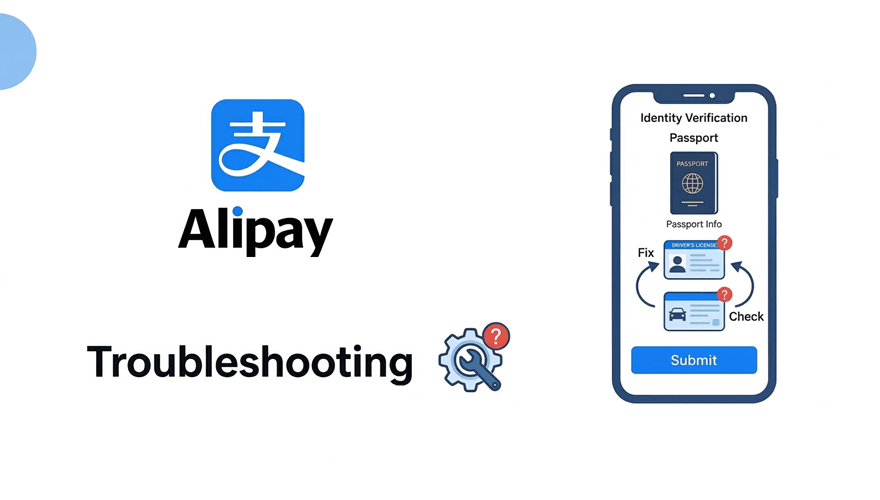
Alipay identity verification is frustrating when it fails, especially if you are already in China and need it working now. The good news: almost every verification failure has a specific, fixable cause. Work through the list below in order before concluding that something is fundamentally broken.
Key Takeaways
- Disable your VPN first: this solves 40%+ of unexplained verification failures.
- Name must match exactly: middle names, suffixes (Jr., III), and name order all matter.
- Passport photo: bright, flat lighting, no glare, all four corners of the document visible.
- Select the right account type: choose Non-mainland China, then Passport.
- NFC chip scan is available for biometric passports and has a higher success rate.
- Wait 24 hours after submitting, many reviews are manual and take time.
Fix 1: Disable Your VPN (Most Common Cause)
Before doing anything else: turn off your VPN completely. Close the VPN app. Then close and reopen Alipay entirely.
Alipay’s verification and payment systems run on servers inside China. They do not need — and actively distrust — VPN connections. When Alipay sees your traffic coming from a foreign IP address (New York, London, Singapore) while you are claiming to be a passport holder trying to link a card for use in China, the risk system flags it. The result looks like a verification error but is actually a security block.
This fix alone resolves the majority of verification failures reported by foreign travelers.
Fix 2: Name Mismatch Between Passport and Card
Your name in Alipay must match your passport exactly, including:
- Middle names: if your passport shows JOHN ROBERT SMITH, enter John Robert Smith, not John Smith
- Suffixes: if your passport shows JAMES WATSON JR, include Jr.
- Name order: some nationalities list family name first on passports; enter it in the same order as it appears on the document
- Hyphens and accents: if your passport has a hyphenated name or accent marks, reproduce them exactly
Your linked bank card must also match the name exactly. If your card says J. SMITH and your passport says JOHN SMITH, contact your bank to confirm the full legal name on the account.
Fix 3: Passport Photo Quality
The Alipay OCR system rejects photos with these issues:
- Glare or reflection: Put your passport on a flat surface in diffuse natural light. Turn off overhead fluorescent lights. Do not use flash.
- Cropped edges: All four corners of the data page must be visible in the frame with a small border of white space around the document.
- Shadows: Avoid holding the passport and photographing it at an angle — lay it flat.
- Dark or low-contrast images: The passport text must be clearly readable. If in doubt, take the photo near a window during daylight.
- Wrong page: Photograph the personal information page — the one with your photo, name, and passport number. Not the visa pages.
Fix 4: Selecting the Wrong Account Type
This is a simple but common error. When Alipay asks for your document type:
- Tap Me → Settings → Account & Security → Identity Information → Verify Now
- When prompted for region, select “Non-Mainland China” (not Mainland China, even if you are currently in China)
- When prompted for document type, select “Passport”
- Proceed to enter your details and upload your document photo
Selecting Mainland China will prompt you for a Chinese ID number, which foreign passport holders do not have. This causes an immediate failure that looks like a system error but is just the wrong field.
Fix 5: Try the NFC Passport Chip Method
Most passports issued after 2010 contain an embedded NFC chip with your biometric data. Alipay can read this directly:
- In the verification flow, look for an option to scan your passport chip instead of uploading a photo
- Hold the back of your open passport flat against the NFC reader on your phone (usually in the centre-back of the device)
- Hold still for 5–10 seconds until Alipay reads the chip
- If your phone does not detect the chip, try different positions — the NFC antenna location varies by phone model
The NFC method bypasses the OCR photo step entirely and resolves most photo-quality related failures. It has a higher first-attempt success rate.
Fix 6: Facial Recognition Lighting
The live face scan fails most often due to poor lighting. Requirements:
- Face the light source: a window or lamp in front of you, not behind
- Remove glasses, hats, and face coverings
- Neutral expression, face straight-on to the camera
- Plain background: not a patterned wall or crowded room
- Do not move the phone during the scan: hold it at eye level and keep still
When to Escalate to Alipay Support
If you have tried all the fixes above and verification still fails after 3+ attempts over 24 hours, contact Alipay directly:
- In-app: Tap the headset icon in the Help section → select International User → describe your issue
- English hotline: 95188 (available during business hours, China time)
- What to have ready: passport number, registered phone or email, screenshots of the error message
Alipay support can manually review and approve accounts that the automated system flags incorrectly. This takes 1–3 working days but resolves most remaining issues.
Frequently Asked Questions
Once Alipay is verified and working, see our main Alipay for Foreigners guide for how to use it at restaurants, transport, and hotels across China.